
Stop Improvising: Why Your AI Coding Agent Needs a Design Phase
We live in the golden age of AI coding. Tools like Claude Code, Cursor, and GitHub Copilot are incredible at writing functions and fixing bugs at lightning speed. But if you have tried to build a full mobile application from scratch using only a coding agent, you likely ran into a familiar wall: The "Generic UI" Trap.
You describe what you want, and the agent builds something, but it rarely matches the vision in your head. The UI looks generic. Navigation flows feel disjointed. You spend hours "fixing" and "redirecting" the AI, reprompting endlessly as the code drift gets worse.
At Dolfy, we believe the problem isn't the AI's coding ability—it's the lack of a plan. We are asking agents to figure out what to build and how to build it simultaneously.
This is why we built Dolfy: to provide the missing design phase for AI-powered development. By using the proven Design OS methodology, Dolfy ensures you architect your product before a single line of code is written.

The Problem with "Chatting" Your App into Existence
When you skip the design phase, every screen is created in isolation. There is no shared system or cohesion, resulting in a "hodgepodge of disconnected outputs". Without a source of truth, design decisions are made on the fly and buried in code, making them impossible to adjust without starting over.
Dolfy changes this dynamic. It forces a separation between designing (making deliberate decisions) and implementation (writing the code).
The Dolfy Workflow: Design with Intention
Dolfy utilizes the Design OS methodology created by Builder Methods to guide you through a structured, 5-step process. Instead of improvising, you work with specialized AI agents—acting as your Product Manager and UI Architect—to shape your mobile app.

Here is how the Dolfy process ensures your export is production-ready:
1. Product Definition & Vision
Before worrying about pixels, Dolfy helps you establish the foundation. You define the product vision, the specific problems you are solving, and the key features required. This ensures the AI understands the why behind your app, not just the what.
2. The Data Model
Dolfy helps you map out the "nouns" of your system—the core entities and relationships. Whether you are a technical founder or a non-technical builder, defining entities (like "Users," "Projects," or "Invoices") ensures that every screen designed later is grounded in a logical structure.
3. Design Foundation (The System)
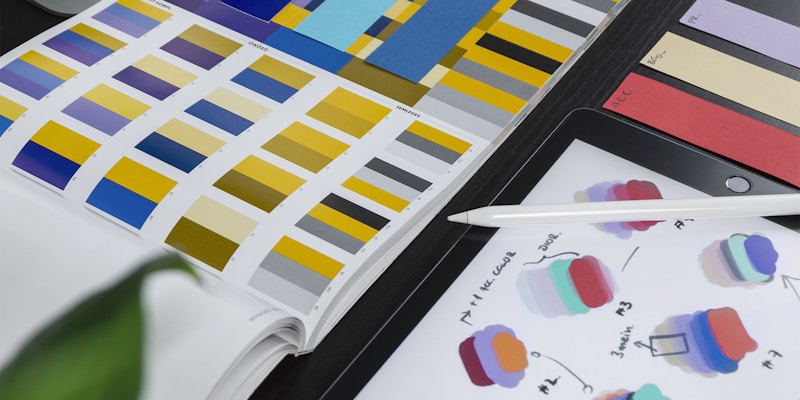
To avoid the "ransom note" effect of mismatched styles, Dolfy establishes a global design system first. You choose your color palette, typography, and design tokens once. These decisions cascade through every screen, ensuring your app looks professional and cohesive automatically.
This is where the Design OS framework really shines—by enforcing systematic design decisions upfront, your entire app maintains visual consistency without constant intervention.
4. Section Design & Sample Data
This is where the magic happens. For every feature, Dolfy generates realistic sample data. Why does this matter? Because AI designs often break when real content is added. By designing with actual data types—names, dates, statuses—Dolfy creates distinct, professional-grade interfaces rather than generic placeholders.
5. Production-Ready Export
Unlike standard design tools that give you pictures, Dolfy gives you code. When you are finished, you export a complete handoff package containing props-based React Native components styled with Tailwind CSS.
Seamless Handoff to Your Codebase
Dolfy is designed to fit perfectly into modern AI workflows. The export package includes not just the components, but also implementation prompts and TypeScript types.

Whether you are using an incremental approach (building one section at a time) or a "one-shot" generation, Dolfy provides the context your coding agent needs to wire up the backend without hallucinating the frontend. Plus, with our Expo Go QR code integration, you can preview your designs on your physical device as you iterate.
The Design OS Advantage
The Design OS methodology isn't just a process—it's a mindset shift. Instead of hoping your AI coding agent figures out the right design, you provide it with a comprehensive blueprint:
- Design Tokens: Colors, typography, spacing defined once
- Component Patterns: Reusable UI patterns across screens
- Data Contracts: Clear entity structures and relationships
- Sample Data: Realistic content that stress-tests layouts
This structured approach means your coding agent can focus on what it does best—writing clean, functional code—while the design decisions are already locked in.
Stop Guessing, Start Architecting
AI coding agents need a designer. They need a spec. They need Dolfy.
By following a guided process from vision to data modeling to screen design, you move from "improvising" to architecting. The result is a mobile app that looks exactly how you envisioned it, ready for your coding agent to bring to life.
Ready to design your next mobile app? Start designing for free with Dolfy and experience the Design OS workflow today.